
Most stylists already know how to make a lookbook for one client. You take their measurements and preferences, pull pieces and send them a personal edit. This guide covers the other kind: one lookbook sent to your whole client list. It might be a new-season capsule, a party-season edit or "ten pieces I'd buy this month". Done well, it brings past clients back, gives new ones a reason to book, and can earn commission on every piece someone buys.
If you're after the one-to-one version, read how to build a digital lookbook for a single client first. The two formats work best side by side.
When a client-list lookbook is worth making
A group lookbook isn't a replacement for personal styling. It earns its place when:
- a season is changing and clients are already thinking about what to buy;
- a big event is coming up (end-of-year parties, wedding season, a work return);
- you've found a run of pieces at one retailer that suit a lot of your clients;
- you want a quiet way to stay in touch with past clients without a hard sell.
If the edit only works for one body shape or one budget, it's really a personal lookbook. Keep it personal.
Step 1: Pick one clear theme
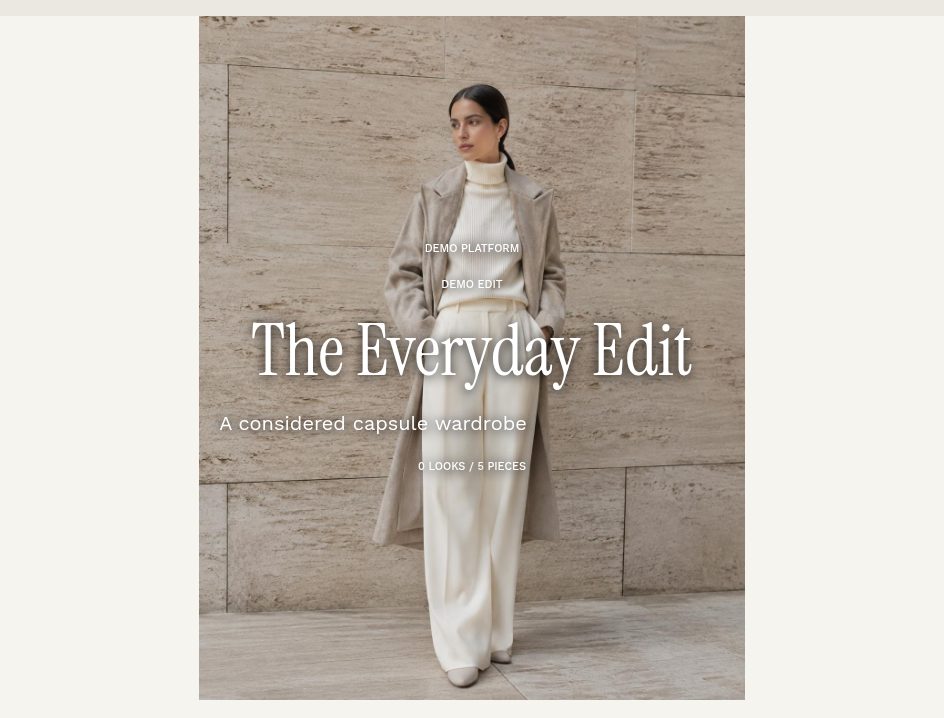
The edits that get opened have a title you could say out loud: "The Everyday Edit", "Linen for the long weekend", "Five ways to wear a navy blazer". A tight theme makes choosing pieces easier and gives the cover something to say. Write a two- or three-sentence intro in your own voice explaining who it's for and why you picked these pieces. That intro is what makes it read like a stylist's edit rather than a shop's newsletter.
Step 2: Choose 6 to 15 pieces with live shop links
Fewer, better pieces beat a long scroll. Mix price points so most clients can buy at least one thing, and check every link still goes to an in-stock product before you send. In LookLayer, a Collection is built in three steps: add pieces (from your saved products, or a new photo plus shop link), group them into looks (optional), then share. Each piece can carry a short stylist note, such as "runs small, size up", which is the kind of detail clients can't get from a retailer.
Step 3: Give it a cover that sets the mood
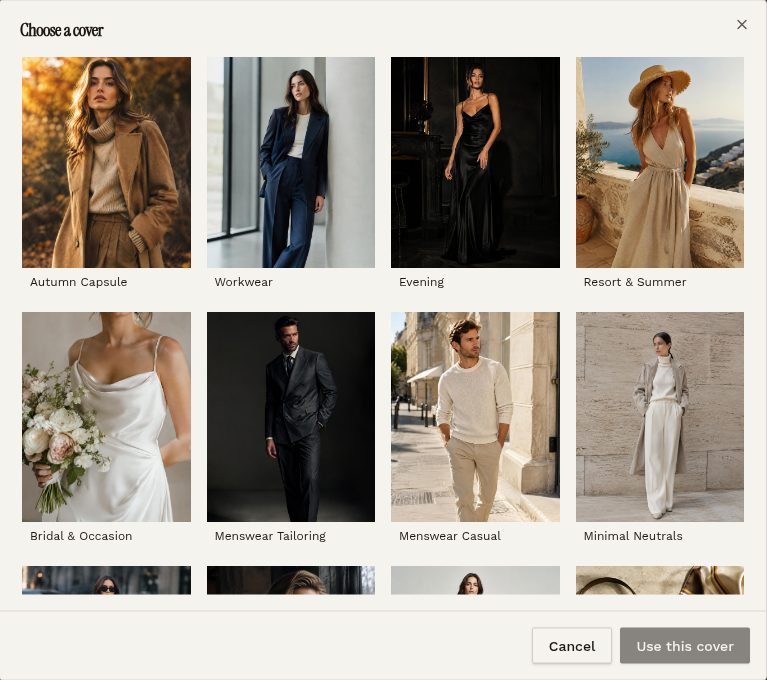
The cover is the first thing anyone sees, whether that's in an email, on Instagram or across the top of the page. Use your own photography if you have it. If you don't, LookLayer has a gallery of ready-made editorial covers to pick from, including Autumn Capsule, Workwear, Evening, Resort & Summer, Bridal & Occasion, Menswear and Minimal Neutrals. If you skip the cover, the first look is used instead.
Step 4: Group pieces into looks (optional)
A grid of separate items asks clients to do the styling themselves. Grouping three or four pieces into an outfit shows them how it all goes together. Even two or three looks at the top of the edit lift the whole thing. Anything you don't put in a look still shows in the shop grid below.
Step 5: Pick a design that fits the edit
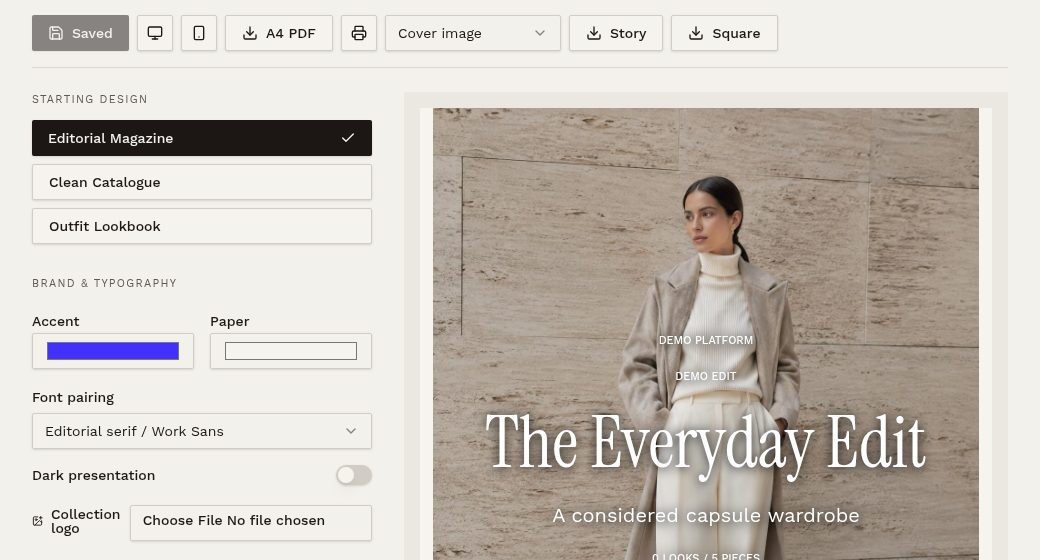
Collections come with three starting designs. Editorial Magazine suits story-led seasonal edits. Clean Catalogue is best when the products are the point. Outfit Lookbook puts the looks first. From there you can set your accent and paper colours and choose a font pairing, so the edit looks like your brand, not a template.
Step 6: Make every piece shoppable, and earn on it
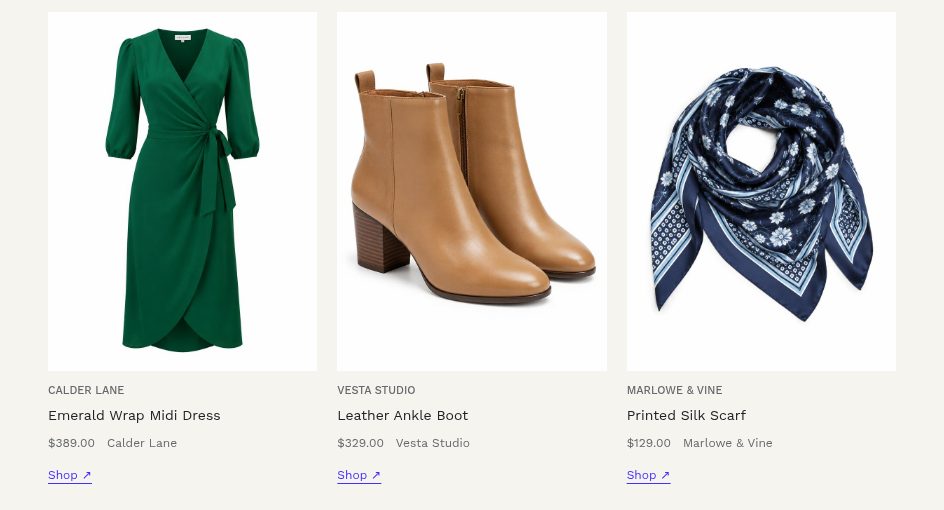
Each piece shows a Shop link. If you're a member of affiliate programmes, add your IDs once in your affiliate settings. LookLayer can then tag supported retailer links automatically when the edit is opened (via networks such as Commission Factory, Rakuten, Amazon and ShopStyle, or your own custom rules). A product's own affiliate link always takes priority. The editor shows how many pieces are earning commission, so you can spot untagged links before you send. You'll need your own account with each network.
Step 7: Send it where your clients already are
One edit can go out several ways:
- Share link: turn on sharing and, if you like, set an expiry date. That suits time-limited edits like a sale or event.
- Email to client: send it from the editor with a preview of the cover email first.
- A4 PDF: for clients who like something to keep or print. Shop links stay clickable.
- Instagram story and square images: exported from the edit itself, so your social posts match what clients see when they tap through.
Step 8: Turn interest into bookings
The edit is the start of a conversation. Clients can send an enquiry from the shared page, and a quick personal reply ("Want me to pull these in your size?") converts far better than waiting. When a client wants something tailored, use Copy to a client to turn the edit into a starting point for their own lookbook, instead of rebuilding it from scratch.
Common mistakes to avoid
- Too many pieces. Forty items reads like a catalogue. Edit hard.
- Dead links. One sold-out link costs you trust. Check them on send day.
- No point of view. Without your intro and notes, it's just a product list.
- Only one price point. Give every client at least one piece they can say yes to.
- Sending and forgetting. Plan a follow-up message before the edit goes out.
Try it with your next seasonal edit
See how Collections fit into the rest of the workflow on the digital lookbook software page, compare plans and the free trial, or browse digital lookbook examples for ideas.