
Most stylists treat a lookbook as the thing they hand over at the end of a job. That undersells it. A good lookbook is a product in its own right: something a client will pay for, something that earns commission every time a piece is bought, and something that brings past clients back for more. Here are five practical ways to make lookbooks pay, and how to set each one up without adding hours to your week.
New to building them? Start with a lookbook for one client or a lookbook for your whole client list, then come back here.
1. Charge for the lookbook as its own service
Plenty of clients don't want a full wardrobe edit or a day of shopping. They want someone with taste to tell them what to buy this season. That is a sellable service on its own: a "seasonal lookbook" or "remote styling edit" where you take their brief, sizes and budget and send back 8 to 15 shoppable pieces with notes on how to wear them.
- Price it on time, not pieces. Work out how long research, building and a follow-up message take you, then price from your hourly rate.
- Set a clear scope. Number of pieces, one round of swaps, and how long links stay live.
- Take payment up front or a deposit, so the research isn't done for free.
In LookLayer you can add the lookbook as a service with its own price, send an invoice with a deposit, and build the client's personal Look once it's paid. For pricing help, read how to price personal styling services.
2. Earn commission on every piece you recommend
If you already send clients links, you're already driving sales for retailers. Affiliate programs let you get paid for it. Once you've joined a network (such as Amazon Associates, Rakuten, ShopStyle Collective or Commission Factory) you add your tracking details once in LookLayer's affiliate settings. Shop links in your shared lookbooks are then tagged automatically.
Two things matter here. If a product already has its own affiliate link, that link is used as it is. And existing parameters in a link are never overwritten, so you won't break a retailer's tracking. Tell clients you may earn a commission; most networks require it, and clients rarely mind when the advice is good. More detail is in our guide to affiliate income for stylists.
3. Send one Collection to your whole client list
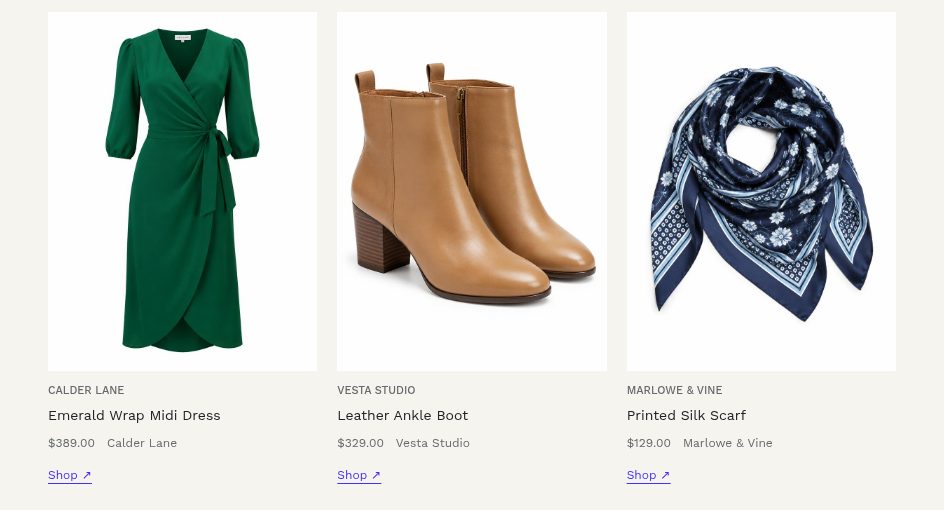
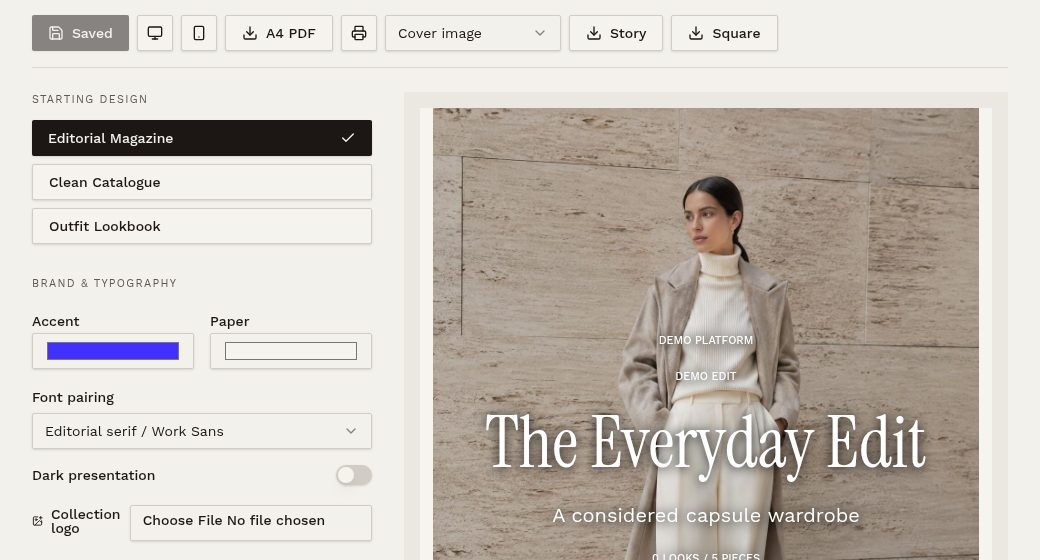
A personal lookbook earns once. A Collection, LookLayer's edit for your whole client list, can earn from dozens of clients at the same time. Think "The Party Season Edit" or "Ten pieces I'd buy this month". Build it once, pick a cover and one of three designs, then share it by link, email it to clients from inside LookLayer, export a PDF or post it to Instagram.
Every shared Collection has an enquiry button, so a client who likes what they see can ask for help straight from the page. That turns a free edit into paid bookings.
4. Use the edit to upsell personal styling
The real money in a group lookbook is often the follow-up. When a client replies "I love the blazer, but would it suit me?", that's the opening for a paid service:
- A personal Look: copy the Collection to that client and tailor it to their size, shape and budget, then show them wearing it with AI try-on on plans that include it.
- A shopping session: book them in to try the pieces in person.
- A wardrobe edit: work out what they already own that pairs with the new pieces.
Reply personally within a day or two of sending. "Want me to pull these in your size?" converts far better than waiting for clients to book.
5. Make it recurring
Once clients are opening your edits, package them. A monthly or seasonal edit with a short check-in gives clients a reason to stay with you between big sessions, and gives you predictable income. Keep it simple: a fixed fee, a fixed delivery date, and a cap on swaps. You can invoice it each month or each season through LookLayer.
Example price points
These figures are illustrations only. Set your own based on your time, market and experience.
| Offer | What's included | Example price |
|---|---|---|
| Seasonal lookbook | 10–15 pieces, notes, one round of swaps | $150–$250 |
| Monthly edit | 8 pieces a month, short check-in | $79–$149 a month |
| Collection to client list | Free to clients, earns commission and enquiries | Affiliate income |
| Lookbook + shopping session | Personal lookbook, then a session to try pieces | $400+ |
Common mistakes
- Giving the personal version away. Group edits can be free; tailored ones should be paid.
- Hiding the commission. Disclose it. Trust is worth more than one sale.
- Only expensive pieces. Mix price points so every client can say yes to something.
- Dead links. Check pieces are in stock on the day you send.
- No follow-up. Plan the message you'll send two days later before the edit goes out.
Frequently asked questions
Do I need my own affiliate accounts?
Yes. You join each network yourself and get paid by them. LookLayer adds your tracking details to shop links in shared lookbooks.
Can clients buy straight from the lookbook?
Clients tap a piece's shop link and buy from the retailer. You don't handle stock or payments for the products.
What's the difference between a Look and a Collection?
A Look is personal to one client. A Collection is one edit you share with your whole client list.
Can I charge clients through LookLayer?
Yes. You can set up services, send invoices with deposits and record payments.
Start selling your next edit
See how it all fits together on the digital lookbook software page, or compare plans and start a free trial.